01 · Control
Centralized AI rollout
Installed on your servers so company data stays with you. We maintain it. Prefer not to host? We run an isolated OneAI instance for your company only. ZDR: data is not stored for model training.


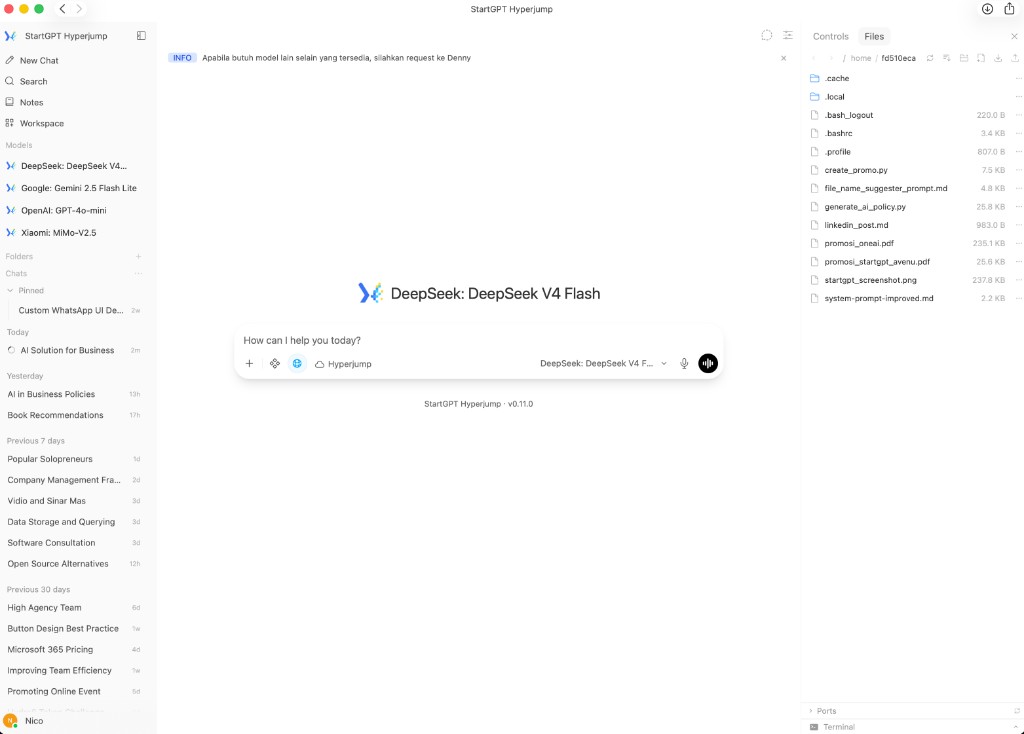
One workspace your company owns, with the models your teams already want: OpenAI, Claude, Gemini, DeepSeek, and others. It runs only for you, on your servers or isolated on ours.
01 · Control
Installed on your servers so company data stays with you. We maintain it. Prefer not to host? We run an isolated OneAI instance for your company only. ZDR: data is not stored for model training.
02 · Budget
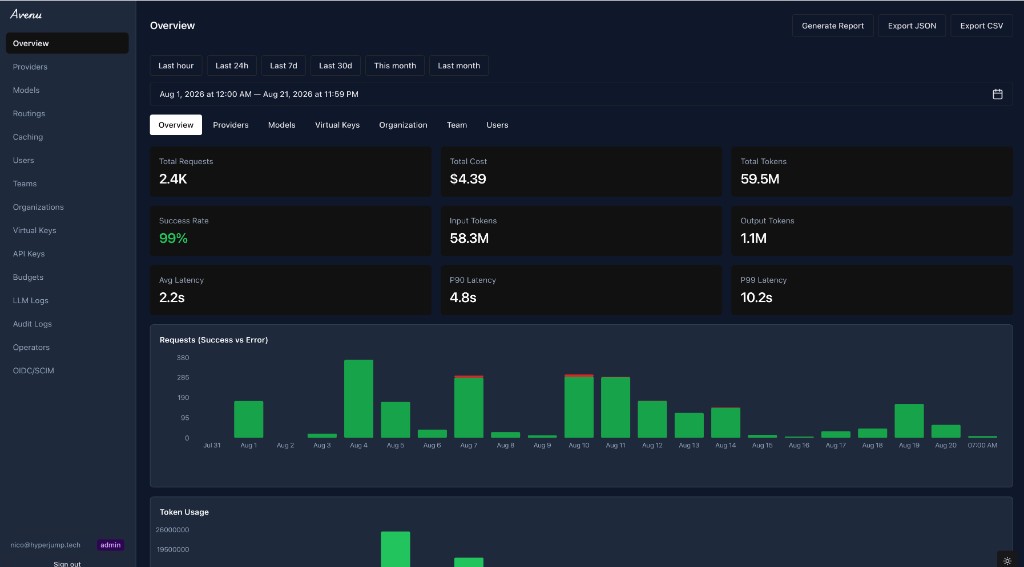
Pay once per month for every employee. Set limits per team or even per user, with no individual AI stipends that are hard to track or reconcile.
03 · Capacity
Use OpenAI, Claude, Gemini, DeepSeek, and other models as they launch. Admins choose which ones each team can access.
Upload a file in the chat, pick the document, and ask. Follow up in the same thread.
Upload files once, share them with the team, and tell the model to use that knowledge when it answers. Nobody uploads the same files again.
Word, PowerPoint, Excel, or PDF. Type the brief, then download the file.
Python or JavaScript for scraping, a website proof of concept, or charts. Review what it ran.
Turn web search on when an answer needs the live web. Off, and the model stays at its knowledge cutoff.
National ID, email, and more. Detect it, redact it, or block the message.
Limits by virtual key, model, organization, team, or user. Cap by cost, tokens, or requests.
Personal, or shared with the team. Pick the model, set the system instruction, allow tools and capabilities, and connect knowledge. Or make one by chatting with a model in OneAI.
| Feature | Individual stipends | ChatGPT Business | Microsoft 365 Copilot | OneAI |
|---|---|---|---|---|
| Usage budget across providers | No | ChatGPT usage included | No · flat add-on fee | Shared budget across providers |
| One budget across providers | No | ChatGPT only | No · per-provider toggles | Yes |
| Single invoice & usage reports | No | Yes · ChatGPT only | Yes · Microsoft only | Yes · all models |
| Ensure funds used for AI | No | Yes · within ChatGPT | Requires M365 bundle | Yes |
| Admin chooses available models | No | OpenAI models only | Yes · Microsoft + Anthropic + OpenAI | Yes · across providers |
| Multi-model, not one vendor | Depends on individual | No · OpenAI only | Yes · Microsoft, Anthropic, OpenAI | Yes |
| Zero Data Retention (ZDR) | No | Default: no training · not ZDR | No · stores interaction history | Yes |
| Internal knowledge, office files, code | No | Yes · ChatGPT | Yes · Word/Excel/PPT/Teams | Yes · all models |
| On-prem or isolated instance | No | No · vendor cloud | No · cloud-only | Yes |
Capability notes: product availability and terms may change. Contact each provider for current commercial terms.
Why OneAI
That first column is money you give an employee and hope they spend on AI. Often they don't, and you never see which model ran. ChatGPT Business is an OpenAI company account. Copilot is the Microsoft 365 version of that. OneAI is for the team that also needs Claude and Gemini. It runs on your servers, or on an instance that is only yours. You pay for every model from one budget.
Money in employee accounts can be spent on anything. There is no model reporting, no audit trail, and no way to enforce company policy. You pay for capacity you cannot see.
The case for OneAI is one platform across vendors, not a cheaper OpenAI chat seat.
Company knowledge, connectors, office files, code, SSO, and admin controls are in ChatGPT Business today. OneAI adds multi-model choice, on-prem or isolated hosting, one budget across providers, and local implementation. That is not a claim that those features must be bought separately.

Support in Indonesia
You get engineers in the same timezone, who speak your language, and can sit with you in the office. Questions get answered during your workday: fast, direct, and easy. Support from companies like OpenAI will never feel like that.
Same timezone, same workday
Replies during Indonesian office hours, not after your team has gone home.
Bahasa Indonesia, no translation lag
Talk to engineers who already understand your stack, your constraints, and your language.
On-site when it matters
When a rollout needs someone in the room, we can come to you. A global ticket portal cannot.
Straight answers about the OneAI plan. Need more detail? Email us. We reply quickly.
Tell us your team size and timeline. We will confirm fit, onboarding, and next steps.
Contact solution@hyperjump.tech